Difference between revisions of "Resources"
(→Mudlet) |
(→Mudlet) |
||
| Line 1: | Line 1: | ||
In the past, the Adventurers of Astaria have used a variety of software to connect to Astaria. |
In the past, the Adventurers of Astaria have used a variety of software to connect to Astaria.[[File:960x240mudlet a0.png|frameless|right|300x300px]] |
||
=='''Mudlet'''== |
=='''Mudlet'''== |
||
[https://mudlet.org '''<big>Mudlet</big>'''] is a platform for enhanced game-play primarily with MUDs. Mudlet provides a toolkit and supports a wide variety of protocols for players and creators to tailor an immersive game-playing experience. MUD creators use Mudlet to build features into their games. MUD players can utilize Mudlet to automate parts of their gameplay or customize their experience.[[File: |
[https://mudlet.org '''<big>Mudlet</big>'''] is a platform for enhanced game-play primarily with MUDs. Mudlet provides a toolkit and supports a wide variety of protocols for players and creators to tailor an immersive game-playing experience. MUD creators use Mudlet to build features into their games. MUD players can utilize Mudlet to automate parts of their gameplay or customize their experience.[[File:Mudlet.png|link=https://mudlet.org/download|right]]<big>Mudlet can be downloaded here: https://www.mudlet.org/download/</big> |
||
[[File:Mudlet.png|link=https://mudlet.org/download|center]] |
|||
'''<u><big>Helpful In-Game Commands</big></u>''' |
'''<u><big>Helpful In-Game Commands</big></u>''' |
||
Revision as of 08:14, 6 September 2026
In the past, the Adventurers of Astaria have used a variety of software to connect to Astaria.

Mudlet
Mudlet is a platform for enhanced game-play primarily with MUDs. Mudlet provides a toolkit and supports a wide variety of protocols for players and creators to tailor an immersive game-playing experience. MUD creators use Mudlet to build features into their games. MUD players can utilize Mudlet to automate parts of their gameplay or customize their experience.
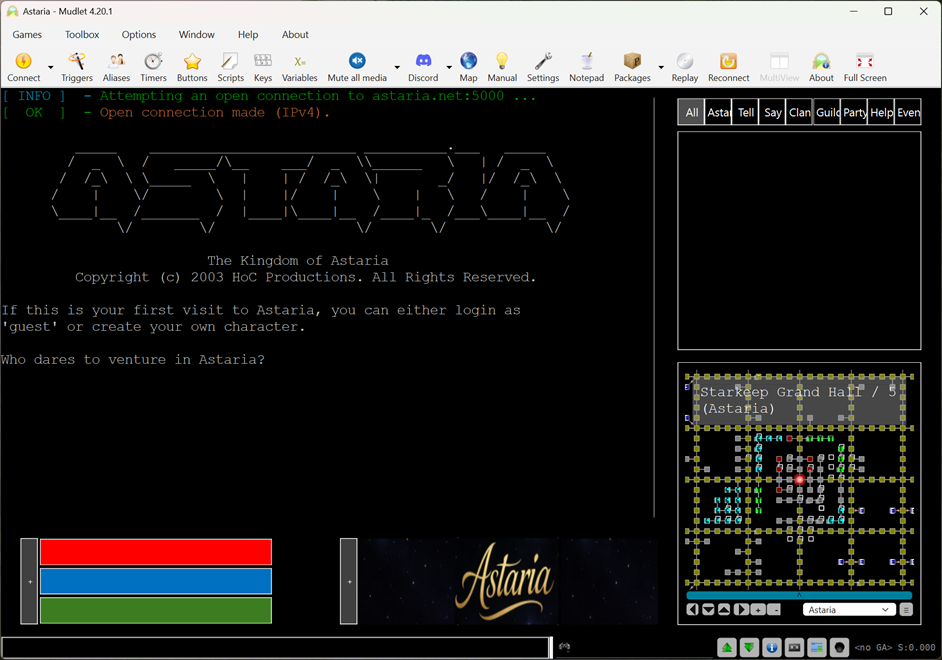
Mudlet can be downloaded here: https://www.mudlet.org/download/
Helpful In-Game Commands
mudlet_ui enable
- Enables Astaria's custom Mudlet package. Enabling the interface allows Mudlet to auto-download customizations specific for Astaria
mc on | mc off
- Toggles Mudlet's auto-mapping feature on or off
background
- Allows access to custom backgrounds for Astaria. 'background all' toggles the backgrounds on or off
While in game, be sure to use: 'ansi hi' to enjoy full 256 color support
Astaria Client
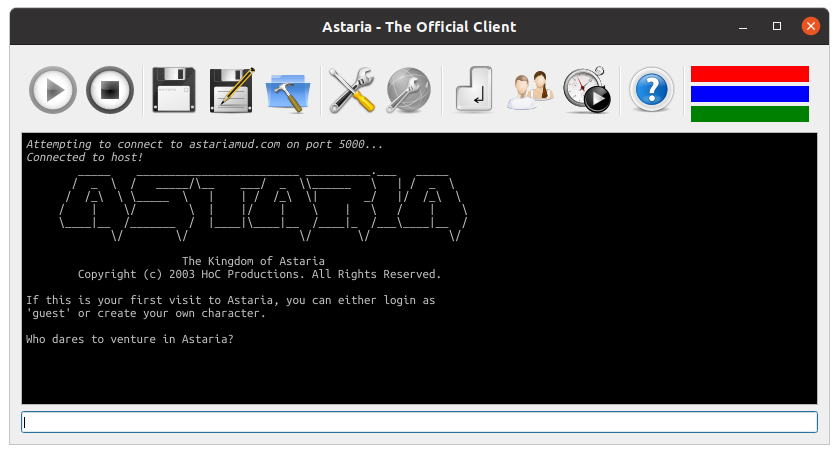
A (free) feature-rich, custom-built application, developed by one of our own:
You can get the 64bit Astaria Client for Windows by clicking on the image above. The Astaria Client is also available for Linux.
There is also an older version of the mac client written by Raganim that can be found here.
A new version of the mac Astarian Client is under development and can be found here.
As new technologies continue to emerge, the Astaria client has been unable to keep up with changes, although, it has served our player base well over the years. If you are feeling nostalgic, give it a try, but it may have some quirks.
In game, be sure to use: 'ansi hi' to enjoy limited 256 color support.
GMud
PC adventurers can use the shareware application “G-MUD” (created by Daniel L. Kelly), which supports sound, macros and triggers.
In game, be sure to use: 'ansi on' to enjoy 16 color support.
Web Client
Click here for a web based alternative.
Telnet
Failing all of the above, opening a Telnet connection might work, though the lack of features makes gameplay hazardous and difficult. Astaria's connection details are: astaria.net or astariamud.com on port 5000 (often expressed as astaria.net:5000 or astariamud.com:5000). Astaria can also be accessed by two other ports: 11995, and 23 (the latter can often be used in schools/universities where other ports cannot).